NBI Login portal allows applicants to securely access their NBI Clearance account and manage their application online. After creating an account, you can sign in to update your personal information, book an appointment, review your application, and check important notifications related to your NBI Clearance.
Many users experience login problems because they forget their password, use an incorrect email address, or enter outdated account information. Fortunately, most of these issues can be resolved quickly by following the correct steps.
What Is the NBI Login Portal?
The NBI Login portal is the official online account system used by applicants applying for or renewing an NBI Clearance. Once your account is created, you can return to the portal anytime to manage your application without creating a new account for every transaction.
Using the same account also helps keep your application history and personal details organized.
You Can Also Read : NBI Requirements 2026
Why Do You Need an NBI Account?
An NBI account provides access to several online services, including:
- Booking an NBI appointment
- Applying for NBI Clearance
- Renewing an existing clearance
- Updating personal information
- Viewing appointment details
- Checking your application progress
- Receiving important notifications
Keeping your account active makes future applications easier and faster.
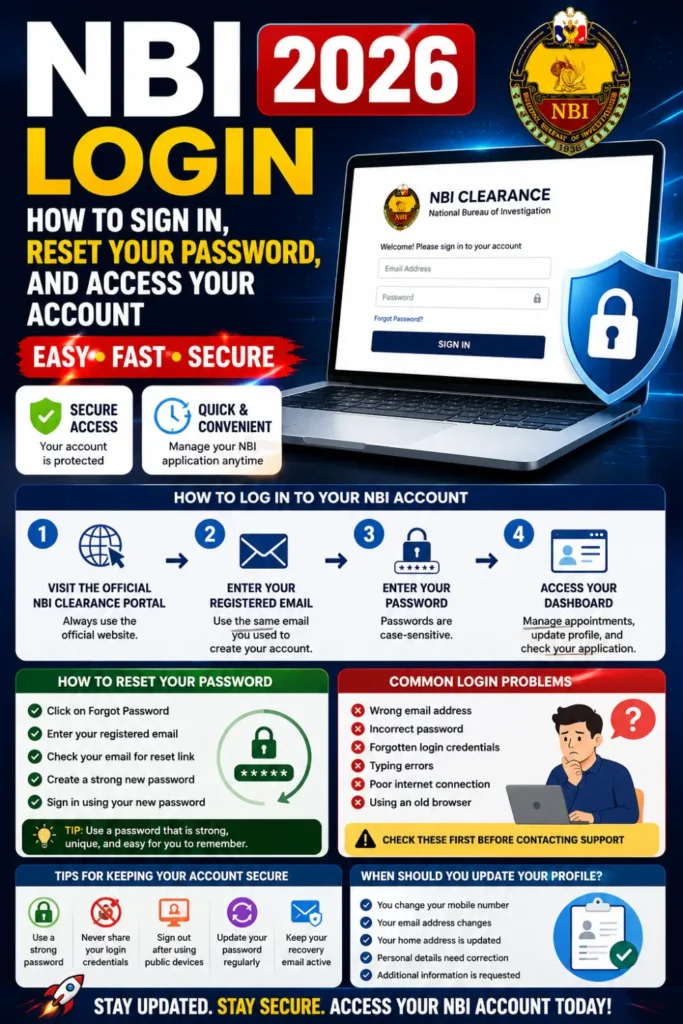
How to Log In to Your NBI Account
Logging in is a simple process if you have your registered email address and password.
Step 1: Open the Official NBI Clearance Portal
Visit the official NBI Clearance website using a secure internet connection.
Always make sure you are using the official portal to protect your personal information.
Step 2: Enter Your Registered Email Address
Type the same email address you used when creating your NBI account.
Using a different email address will prevent you from accessing your account.
Step 3: Enter Your Password
Carefully enter your password exactly as you created it.
Remember that passwords are case-sensitive, so check your keyboard before signing in.
Step 4: Access Your Dashboard
After entering the correct login information, you will be redirected to your account dashboard.
From there, you can manage appointments, review your application, and update your profile if necessary.
You Can Also Read : NBI Fees 2026 Latest Clearance
How to Reset Your Password
If you cannot remember your password, don’t worry.
Follow these simple steps:
- Select the Forgot Password option.
- Enter your registered email address.
- Follow the password reset instructions sent to your email.
- Create a strong new password.
- Sign in using your updated password.
Choose a password that is easy for you to remember but difficult for others to guess.
Common NBI Login Problems
Some applicants cannot access their accounts because of common mistakes.
These include:
- Entering the wrong email address
- Incorrect password
- Forgotten login credentials
- Typing errors
- Poor internet connection
- Using an old browser
Checking these issues first often solves the problem without additional support.
Tips for Keeping Your Account Secure
Protecting your account is important because it contains personal information.
Follow these security tips:
- Use a strong password.
- Never share your login credentials.
- Sign out after using a public computer.
- Update your password regularly.
- Keep your recovery email active.
- Avoid logging in through unknown websites.
Good security habits help protect your personal information from unauthorized access.
When Should You Update Your Profile?
You should review your account information whenever:
- You change your mobile number.
- Your email address changes.
- Your home address is updated.
- Personal details need correction.
- Additional information is requested during your application.
Keeping your profile accurate helps prevent delays during verification.
Final Thoughts
The NBI Login portal gives applicants quick and convenient access to their NBI Clearance account. By keeping your login information secure, updating your profile when necessary, and using the password recovery option whenever needed, you can manage your NBI Clearance application without unnecessary difficulties. Always use accurate information and access your account only through the official NBI Clearance portal for a safe and smooth online experience.
Frequently Asked Questions
Can I use the same account for renewal?
Yes. Existing applicants can generally use the same NBI account for future transactions, including renewal, provided their account information remains accessible.
What should I do if I forget my password?
Use the Forgot Password option available on the login page and follow the password recovery instructions.
Why can’t I access my account?
Login problems are often caused by an incorrect email address, wrong password, internet connection issues, or typing errors. Verify your information carefully before trying again.
Is my NBI account secure?
The security of your account also depends on you. Using a strong password, protecting your login details, and accessing only the official portal help keep your account safe.